

Every line on the receipt gets its own category
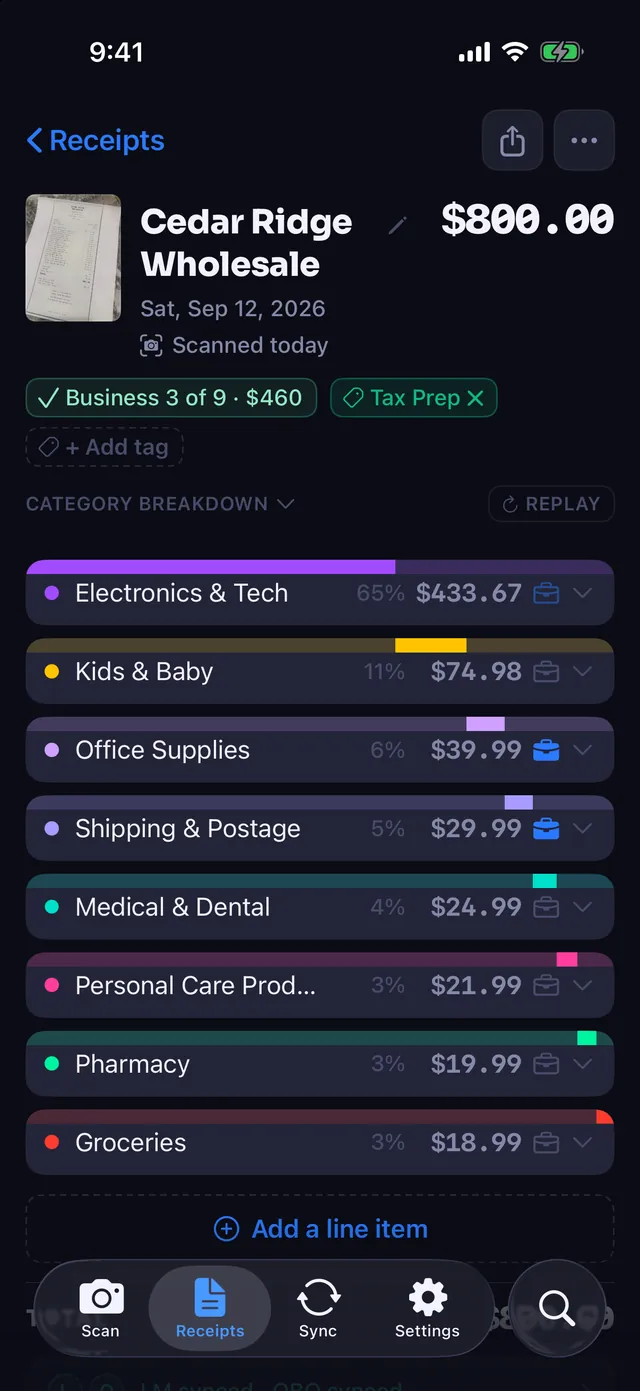
An $800 warehouse club receipt is eight categories, not one. Receipt Rabbit gives each line its own, so you see what you bought, not just where you shopped.
One receipt, eight categories
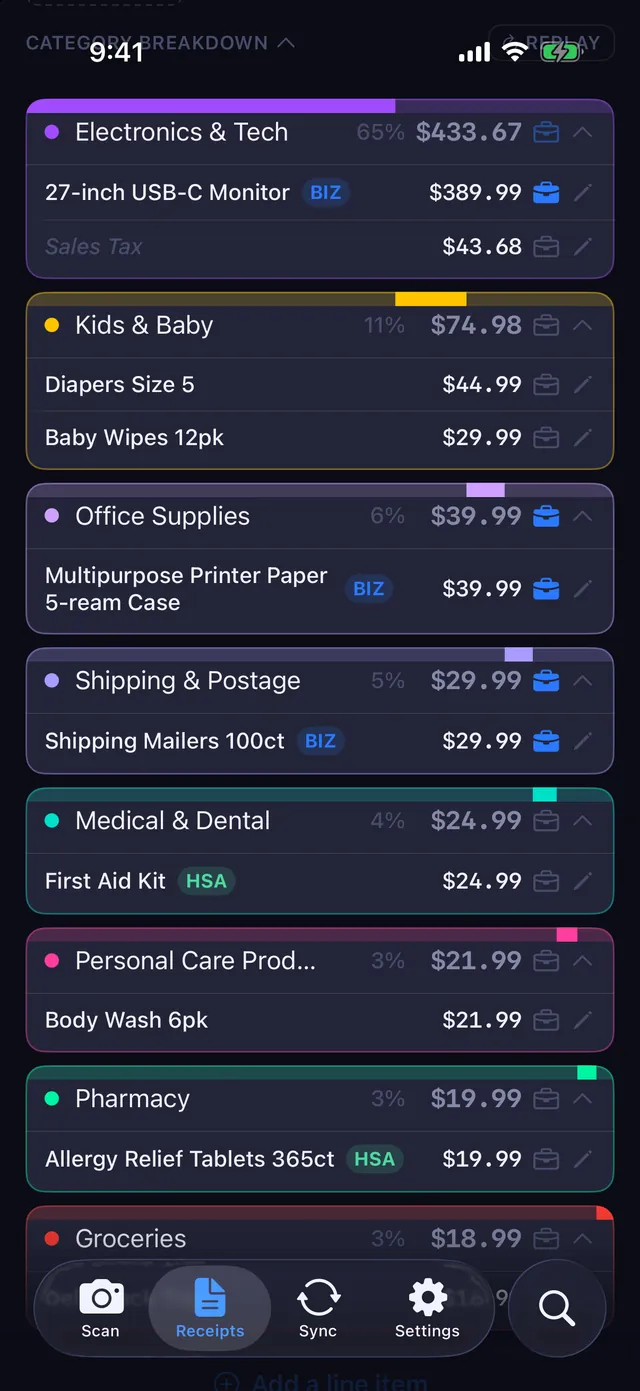
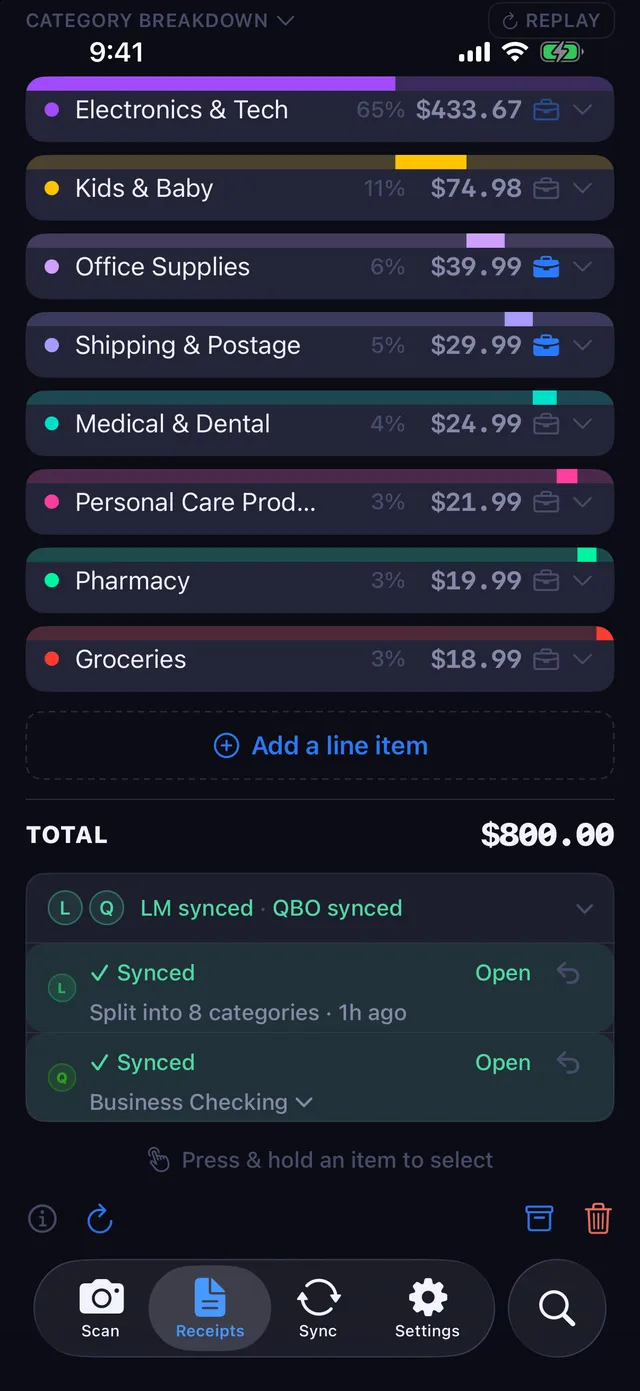
Take a run to Cedar Ridge Wholesale, an invented store with a very familiar receipt. Here is how the lines come out:
| On the receipt | Category |
|---|---|
| 27-inch monitor | Electronics & Tech |
| Printer paper, 10 reams | Office Supplies |
| Poly mailers, 100 count | Shipping & Postage |
| Diapers, size 4 | Kids & Baby |
| First-aid kit | Medical & Dental |
| Shampoo | Personal Care Products |
| Allergy tablets | Pharmacy |
| Rotisserie chicken, eggs | Groceries |
A bookkeeping app that works at the receipt level would call all of that one thing. Usually it picks whatever the store is known for, and the monitor and the diapers end up in the same bucket.
Business purchases, itemized for your books
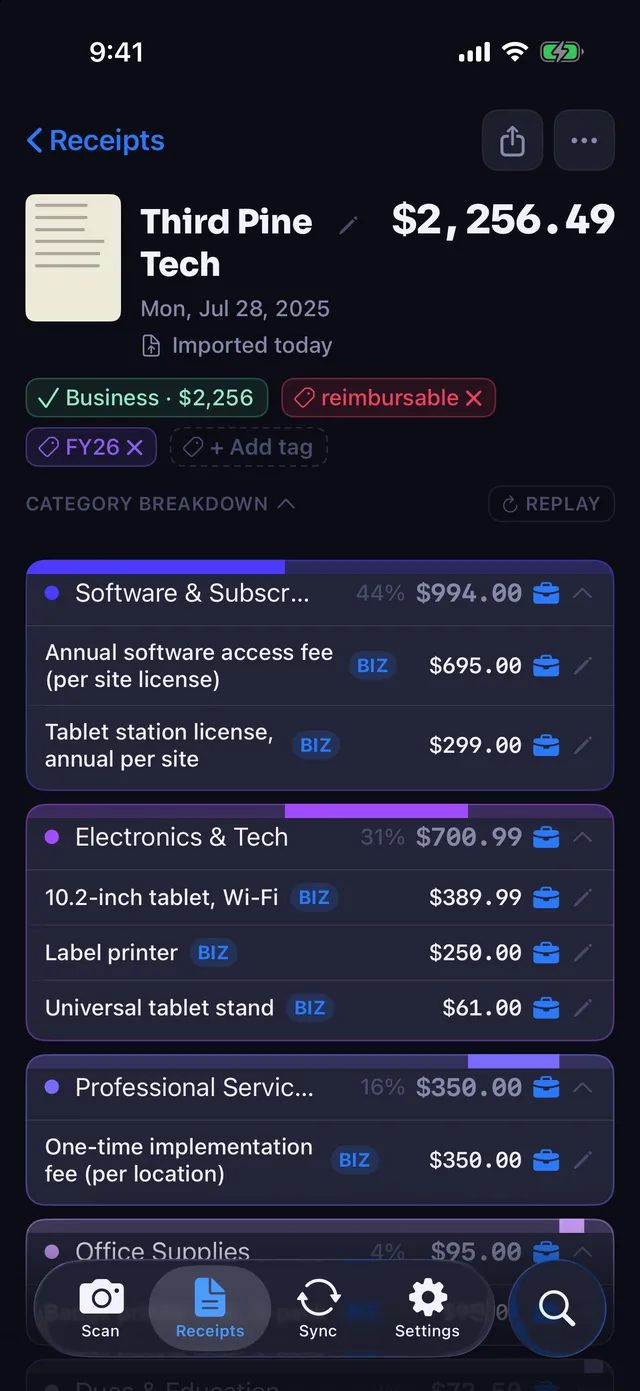
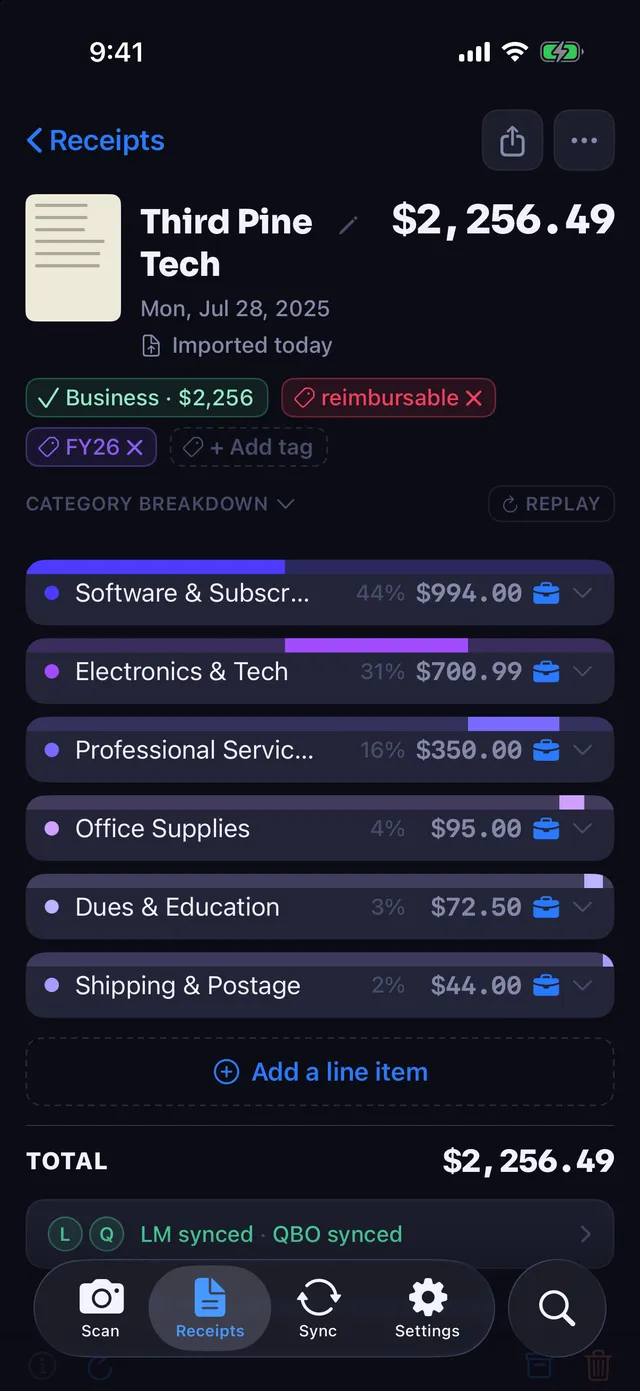
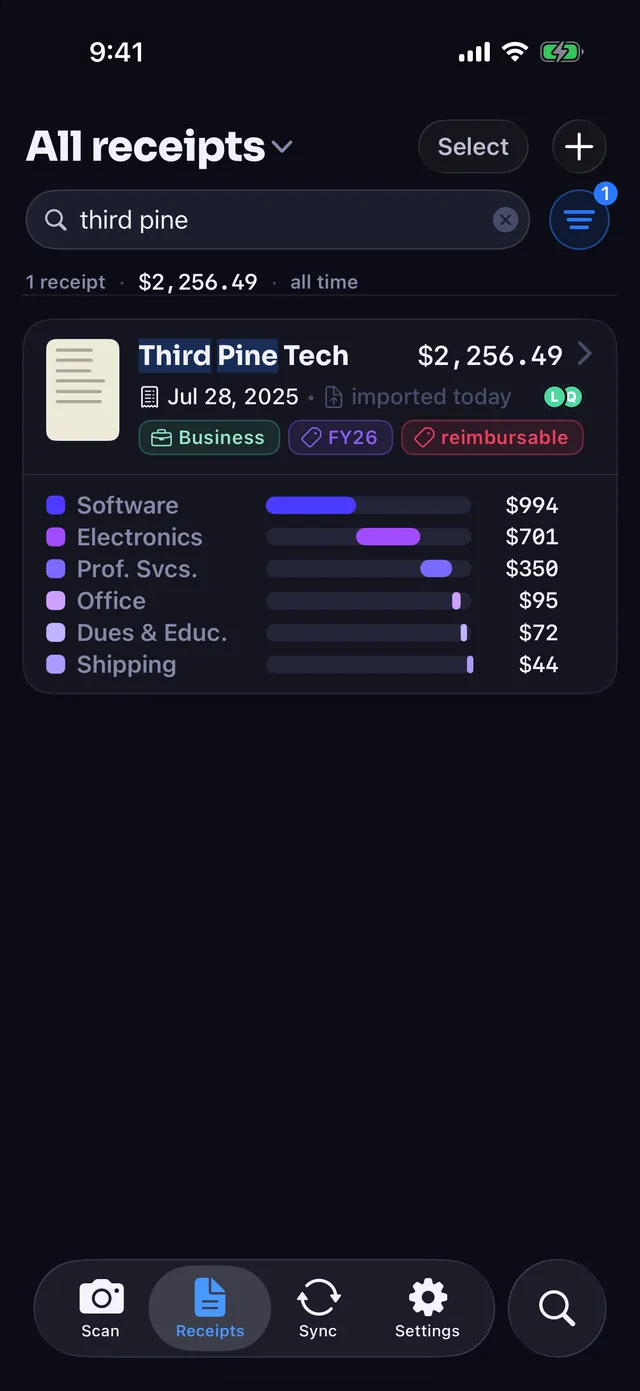
A software and equipment invoice is a good example. Receipt Rabbit reads every line and gives each one its own category: the annual license under Software & Subscriptions, the tablet and printer under Electronics & Tech, the setup fee under Professional Services, and so on down to shipping.
Any single line can be marked business, or every line can, as on this invoice. Tags such as reimbursable or a fiscal year stay on the receipt and show on its card in the list.
Send receipts automatically, or turn that off and send each one after you have looked it over. To mark several lines at once, select them and mark them together.
40 categories, 11 groups, fixed names
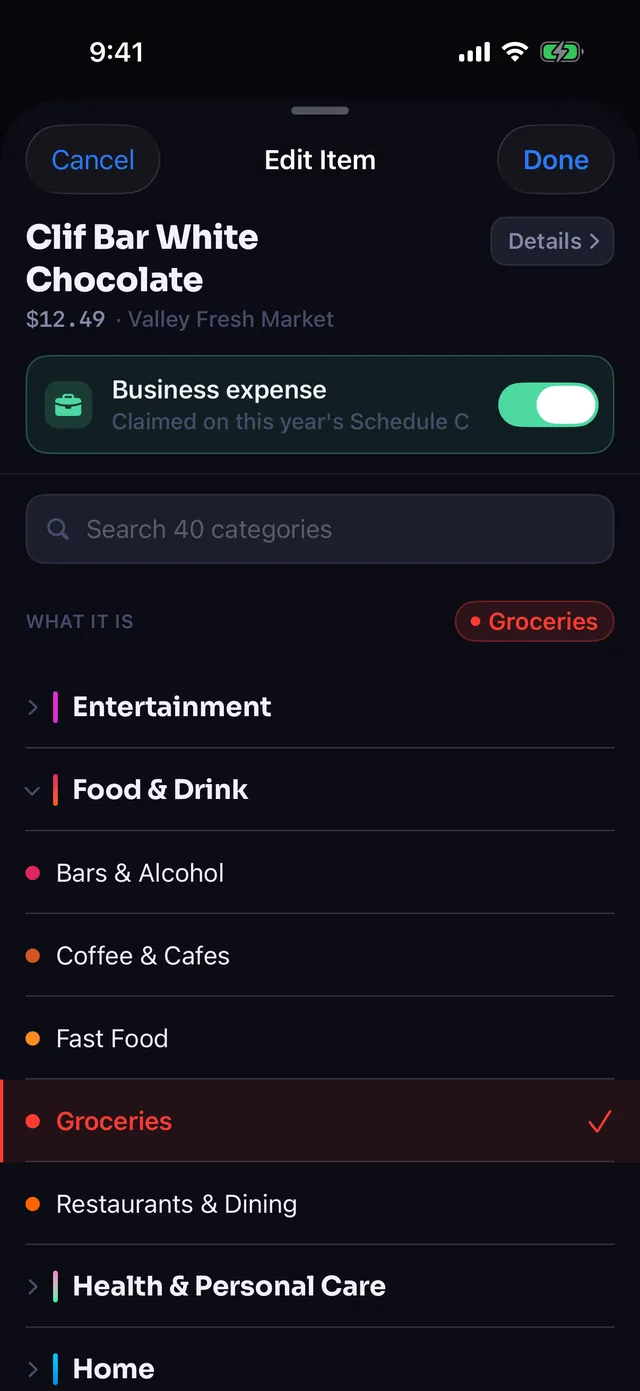
The list does not change from receipt to receipt, so the same item lands in the same place in January and in November. That matters most once a receipt leaves the app, because your QuickBooks or Lunch Money categories are mapped to this list.
Business expenses have their own group, shown in the app as Work & Office, with categories like Software & Subscriptions and Shipping & Postage. If a line lands somewhere you disagree with, change it by hand from the category picker.
Where the categories go next
The split survives the trip to your books. In QuickBooks Online the receipt becomes one expense with a line for each expense account. In Lunch Money, the matching bank transaction is split into the same categories. Or skip both, keep everything in the app, and export a spreadsheet with one row per line item at tax time.
Receipt Rabbit is coming soon on the App Store.