

Split one receipt across QuickBooks Online expense accounts
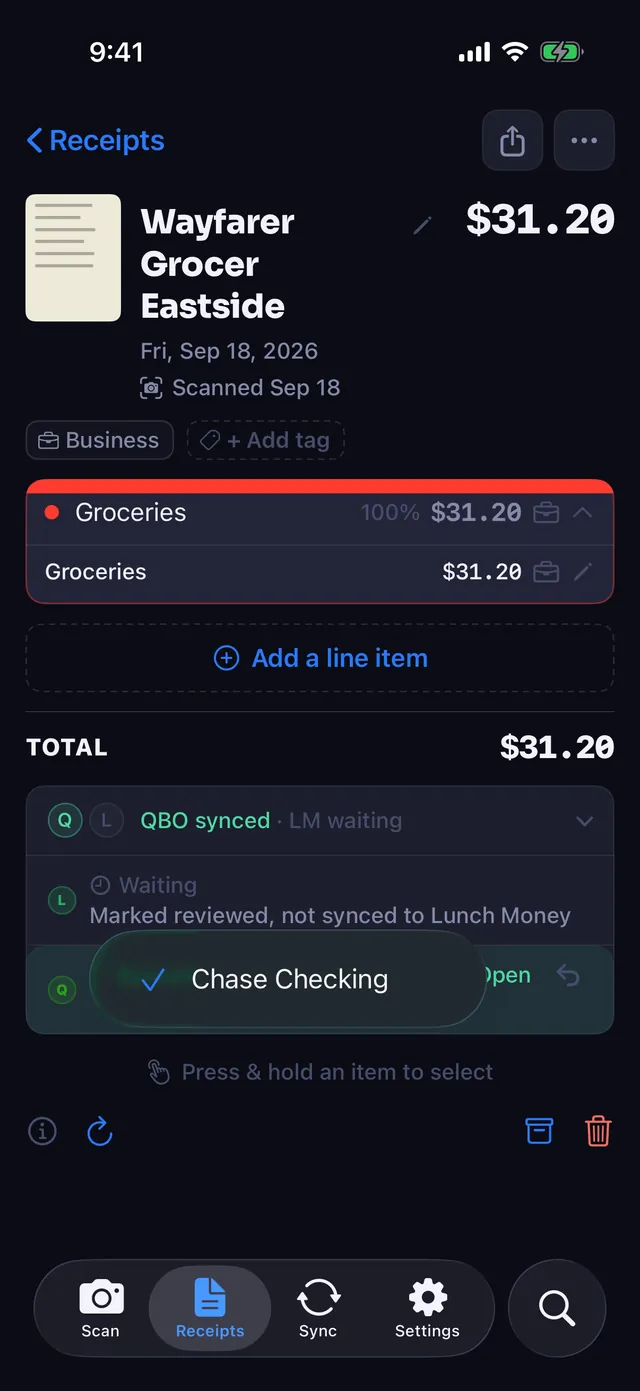
Scan a receipt and it lands in QuickBooks Online as one expense, split across the expense accounts its lines belong to, with the receipt image attached.

One receipt, split across the right accounts
Most receipt tools post a warehouse-store receipt to a single account. The printer paper, the shipping mailers and the monitor all become Office Supplies, and someone fixes it by hand later, or nobody does.
Receipt Rabbit categorizes every line on the receipt first. When the receipt goes to QuickBooks, it becomes one expense with a line for each expense account. Your books show what you bought, not what the store is known for.
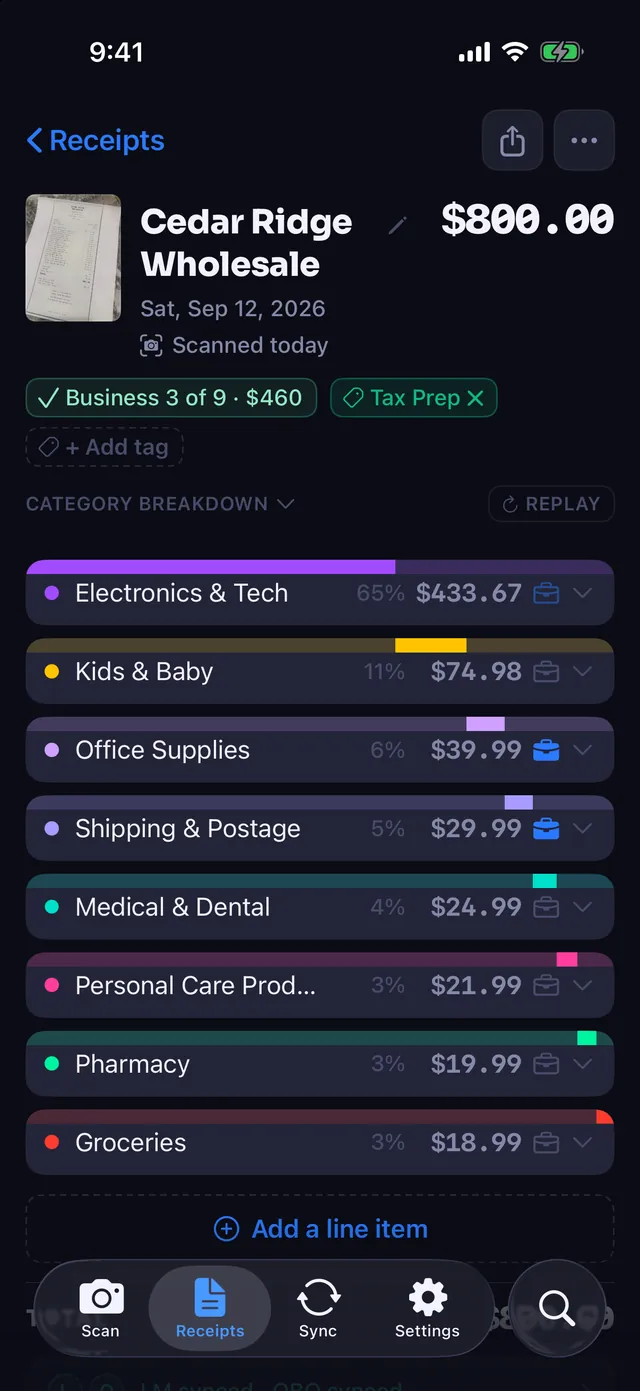
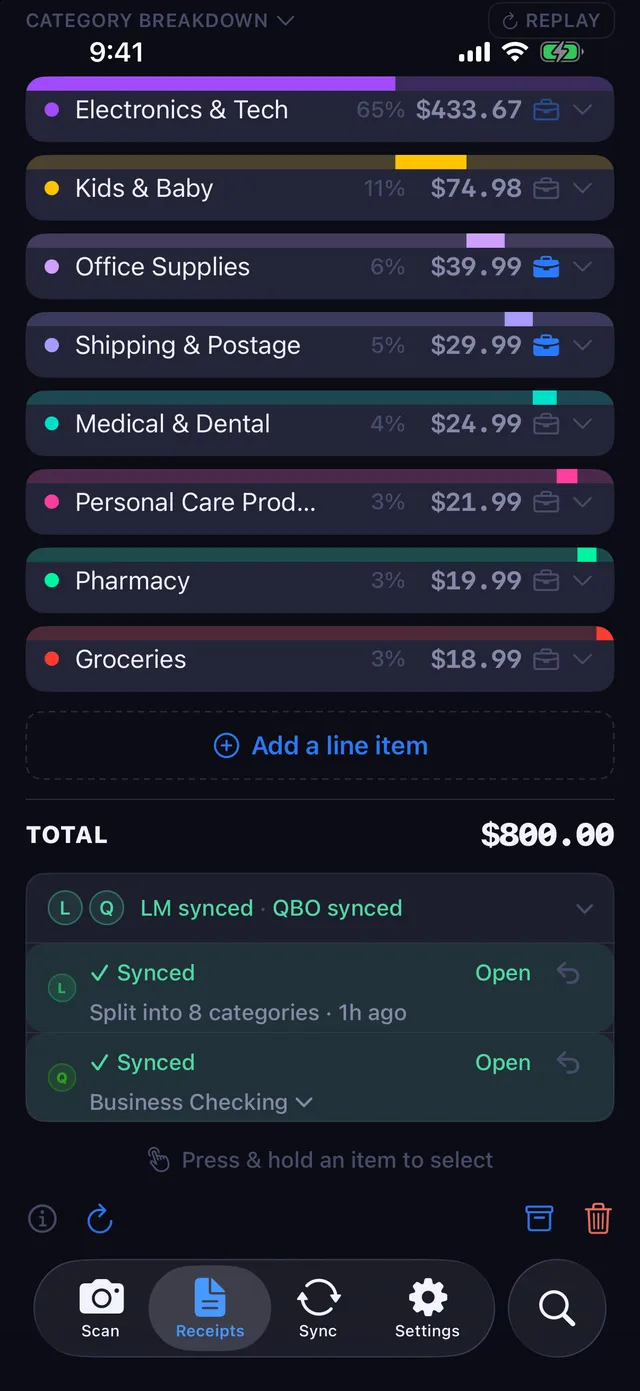
Personal lines stay out of business accounts
Mark the lines that are business. Lines you have not marked business are booked to a non-business account you pick once. A receipt with nothing marked business goes there in full; mark every line and the whole receipt is business. A receipt with both kinds of line posts whole, so the amount matches the card charge, but until you choose that account, mixed receipts wait.
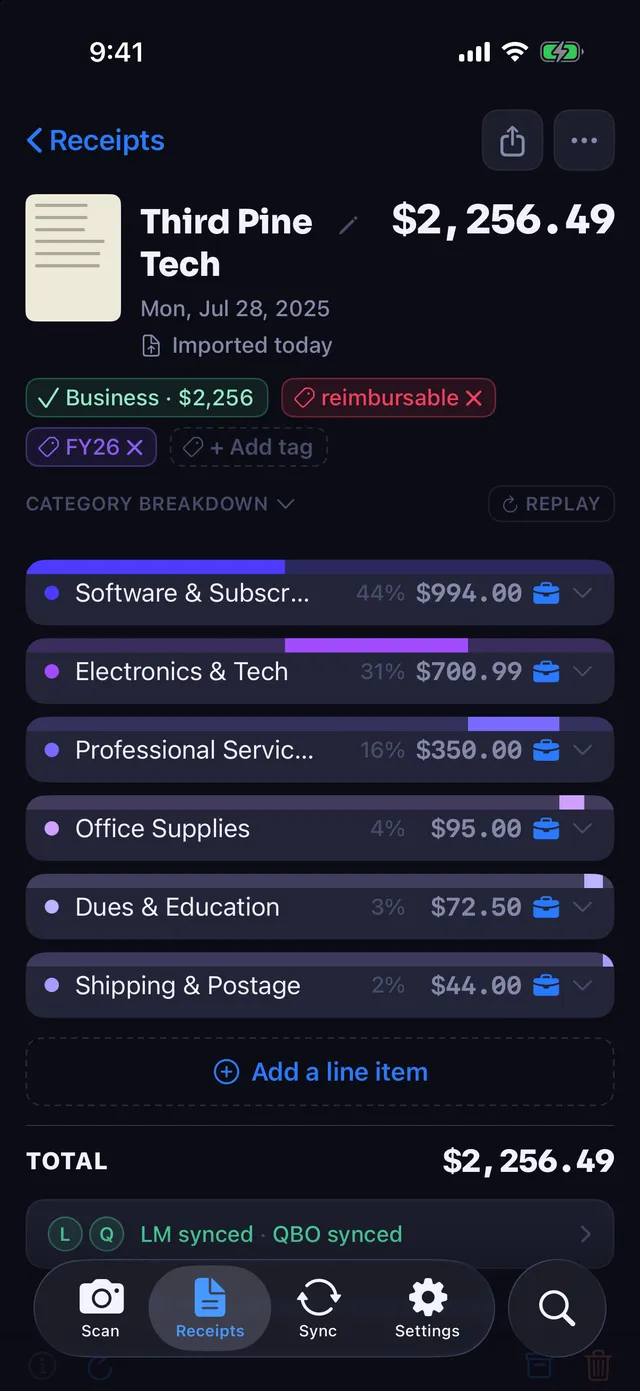
The receipt image comes with it
The photo or PDF is attached to the expense in QuickBooks, so the record and the proof sit together when your accountant opens it. If the image upload fails, the expense is already recorded and the upload is tried again later.
Sends after each scan, or when you say so
Once QuickBooks is connected, each receipt is sent after it is scanned. Turn that off if you want to look over the business lines first and send when you are ready. The account a receipt was paid from can be changed on the receipt itself.
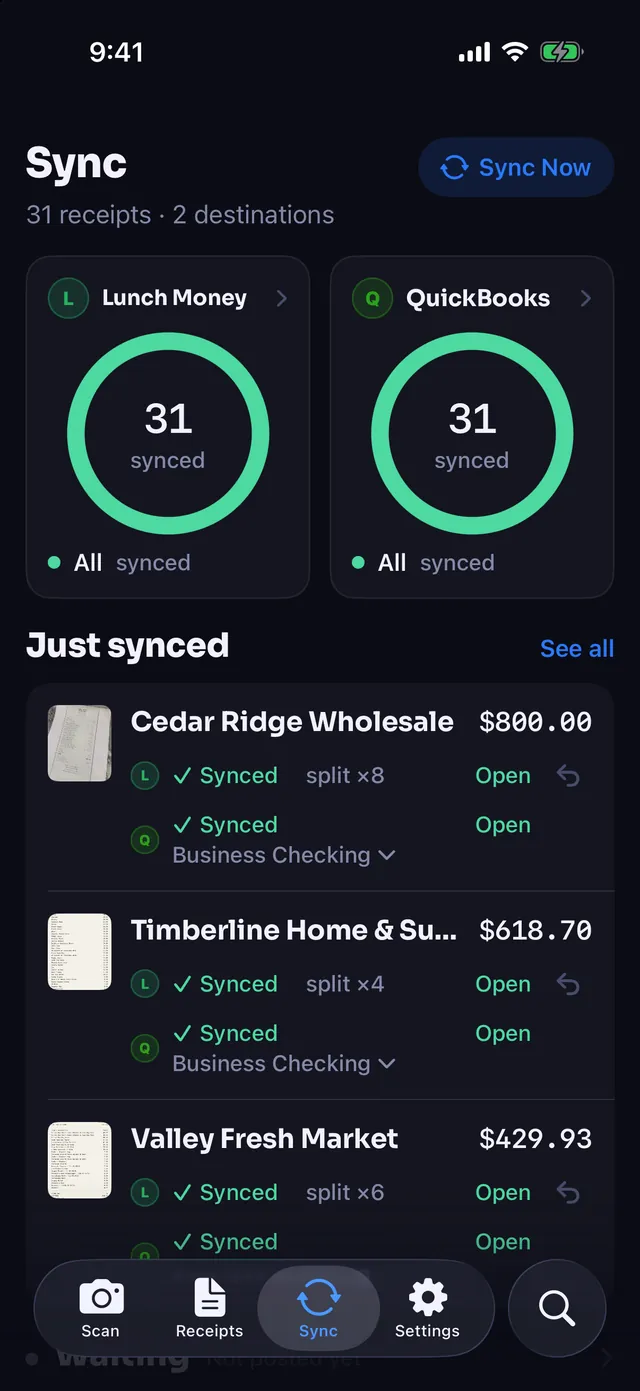
Your bank feed does the matching
Receipt Rabbit creates the expense. When the card charge comes through your bank feed, QuickBooks' own matching can pair the two.
Receipt Rabbit does not read your bank feed. We started out trying to, filling in the bank transaction directly, and stopped because QuickBooks does not let apps read bank-feed transactions. Matching is QuickBooks' job.
Categories mapped to your chart of accounts
When you connect, Receipt Rabbit maps its 40 categories to the expense accounts in your own chart of accounts. That happens once, at connect, so every receipt after that lands in accounts you already use.
Receipt Rabbit is coming soon on the App Store.
Connect in the app
QuickBooks export is part of Pro.
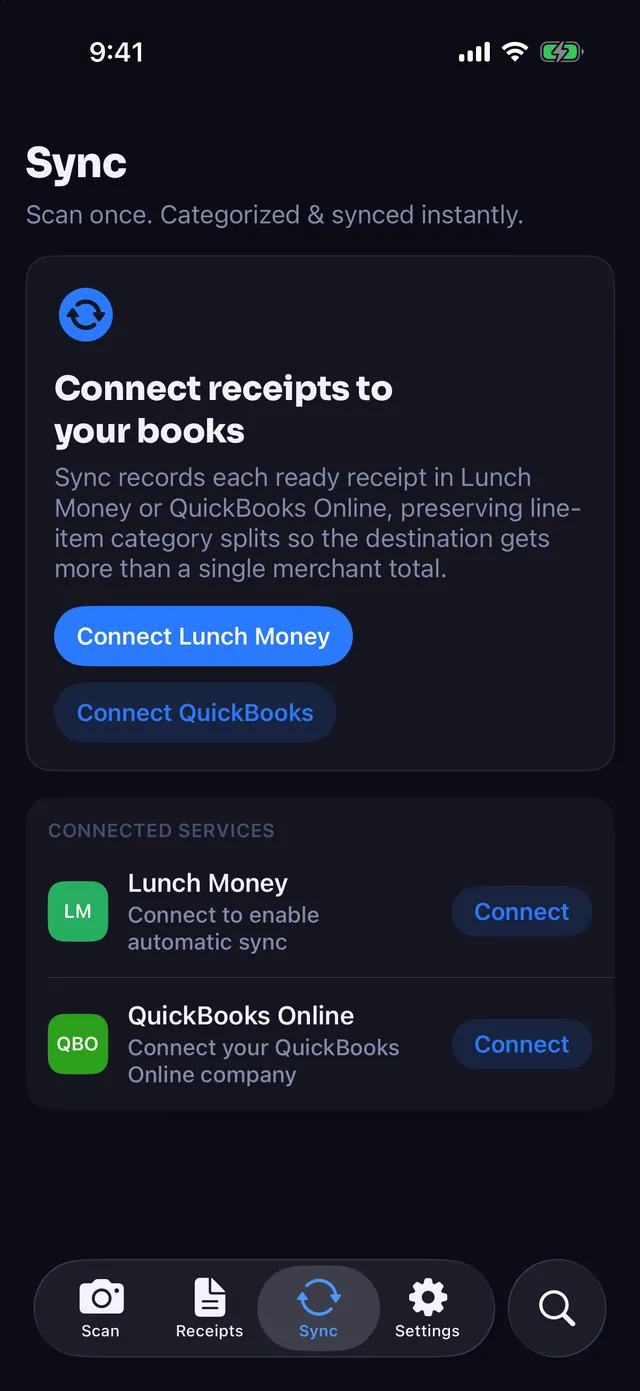
- Open the Sync tab, find QuickBooks and tap Connect.
- Sign in to Intuit and pick your company.
- Choose the account your receipts are paid from.
What Receipt Rabbit reads and writes in QuickBooks
Receipt Rabbit asks for the QuickBooks accounting permission only. It never asks for the Payments permission and it cannot move money.
Reads
- Your company name, to confirm which company you connected
- Your chart of accounts: expense accounts and payment accounts
- Your vendors, to avoid creating duplicates
Writes
- Purchases: the itemized expenses created from your receipts
- Attachments: the receipt image on each expense
- Vendors: only when a receipt's store is not already in your vendor list
Receipt Rabbit does not read or write invoices, payroll, customers or payments, and never starts a payment or transfer of any kind.
Disconnecting
Disconnect from the QuickBooks menu on the Sync tab, or from QuickBooks itself. Disconnecting in the app removes the saved connection, your account choices and the category mapping from Receipt Rabbit.
Your data
Receipt Rabbit has no user accounts and no user database. Your receipts live on your iPhone and in your own iCloud.
To categorize a receipt, its photo and text are sent to our categorization service, which uses providers that do not retain them. When you connect QuickBooks, your expense account names and account IDs are sent once so your categories can be mapped. Phone numbers and card numbers are stripped from receipt text on your device before anything is sent. Full detail is in the Privacy Policy and the End User License Agreement.
Availability and support
Receipt Rabbit is an iPhone app for iOS 18 and later, coming soon on the App Store. Questions about the QuickBooks integration, or anything else: [email protected].
QuickBooks and QuickBooks Online are trademarks of Intuit Inc., registered in the United States and other countries. Receipt Rabbit is not affiliated with, endorsed by, or sponsored by Intuit Inc.