

Split receipts into categories for Lunch Money
Stop splitting mixed charges by hand. The Receipt Rabbit iPhone app categorizes every line item, splits the matching Lunch Money transaction, and attaches the receipt.
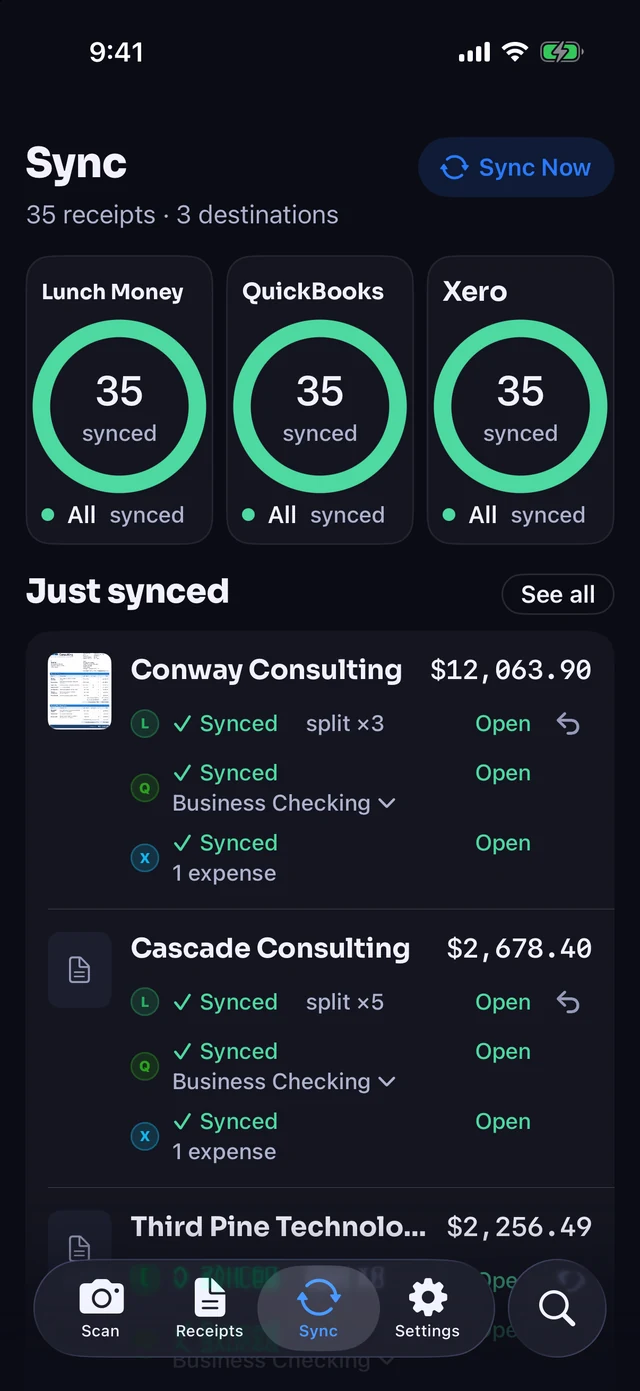

Included on Plus ($4/month or $30/year) and Pro ($8/month or $60/year).
Turn one mixed transaction into clean category splits
A single card charge can hide several budget categories. Receipt Rabbit reads the receipt and splits the transaction already sitting in Lunch Money.
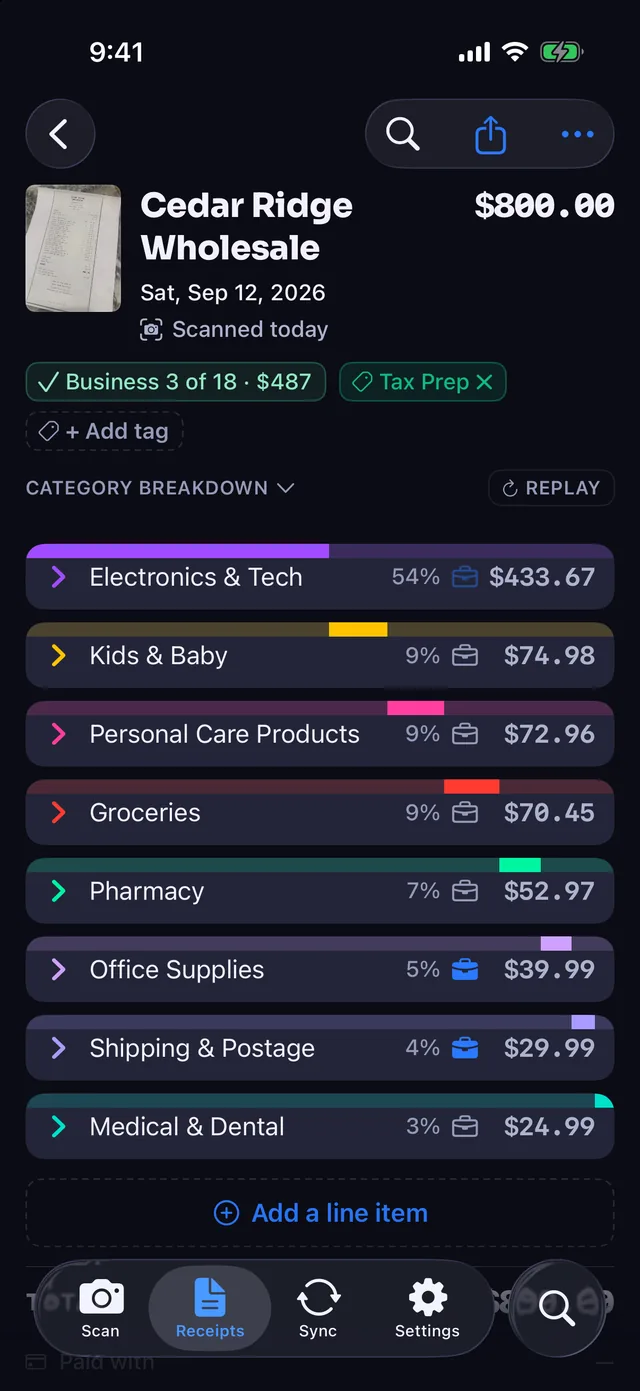
- Line-item categorization. The app categorizes every line item across 42 categories in 11 groups and maps them to your Lunch Money categories.
- One split per category. Items that share a category combine into a single split on the Lunch Money transaction.
- Item names in notes. Each split gets a note listing the item names from the receipt.
- Receipt attached. The original receipt photo or PDF attaches directly to the transaction in Lunch Money.
Updates the charge already in Lunch Money
Receipt Rabbit looks for the bank or card transaction that Lunch Money already imported and updates it in place. The app never creates a new Lunch Money transaction on its own.
- Automatic transaction matching. Matches the existing Lunch Money charge by amount, date, and payee.
- You decide on close matches. When several charges could match, the Pick a Match screen lists them, and you tap the right one.
- Cash receipts stay optional. If a receipt has no matching charge, like cash, you can choose to add it to Lunch Money.
- Multi-charge receipts. One receipt can be matched to more than one card charge when an order bills in parts.
Connect with your API token and your own categories
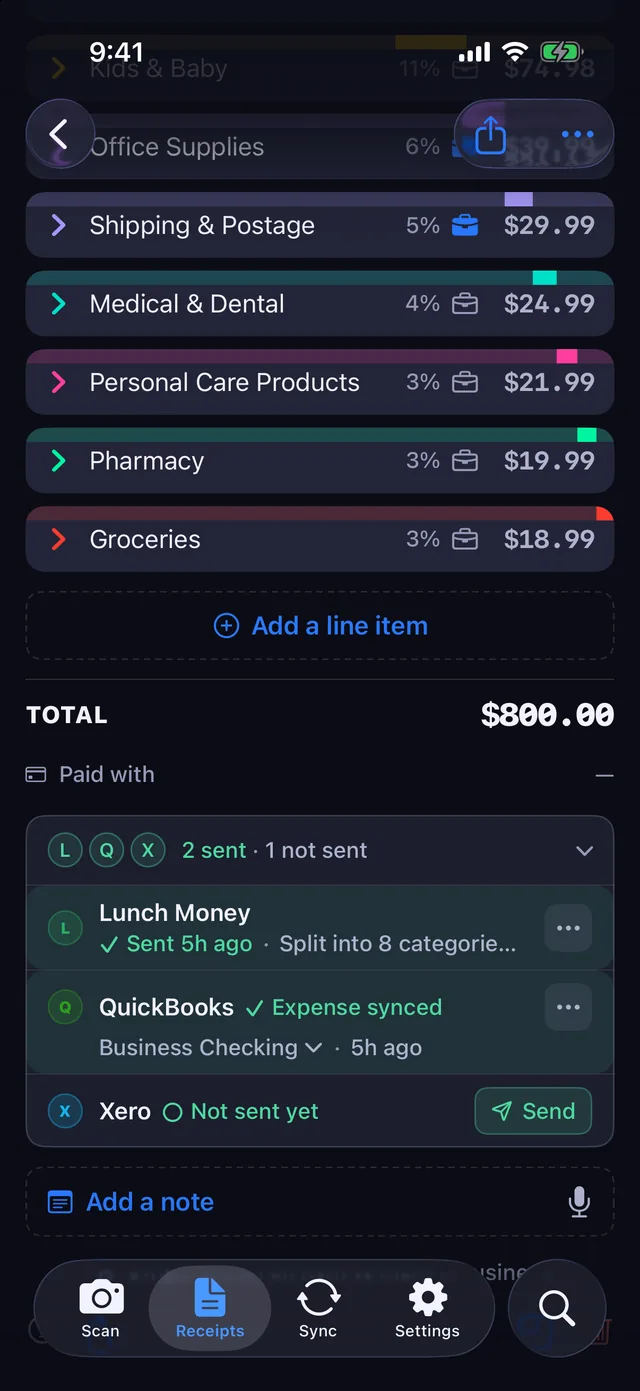
Setup uses your existing Lunch Money budget. Paste your API access token once, review how categories map, and let sync run in the background.
- Keychain token storage. Paste your Lunch Money API access token. The app checks it before saving and stores it in the iPhone Keychain.
- Category mapping. Confident category matches apply automatically, you set the rest, and you can edit any mapping in Settings.
- Automatic or manual sync. Sync runs automatically by default, with a Sync Now button available on the Sync tab.
- Private iCloud storage. Your receipts stay on your iPhone and in your private iCloud, with no Receipt Rabbit account or login required.
- Images not kept. Receipt images go to a server for categorization and are not retained afterward.
How Lunch Money receipt itemizing works
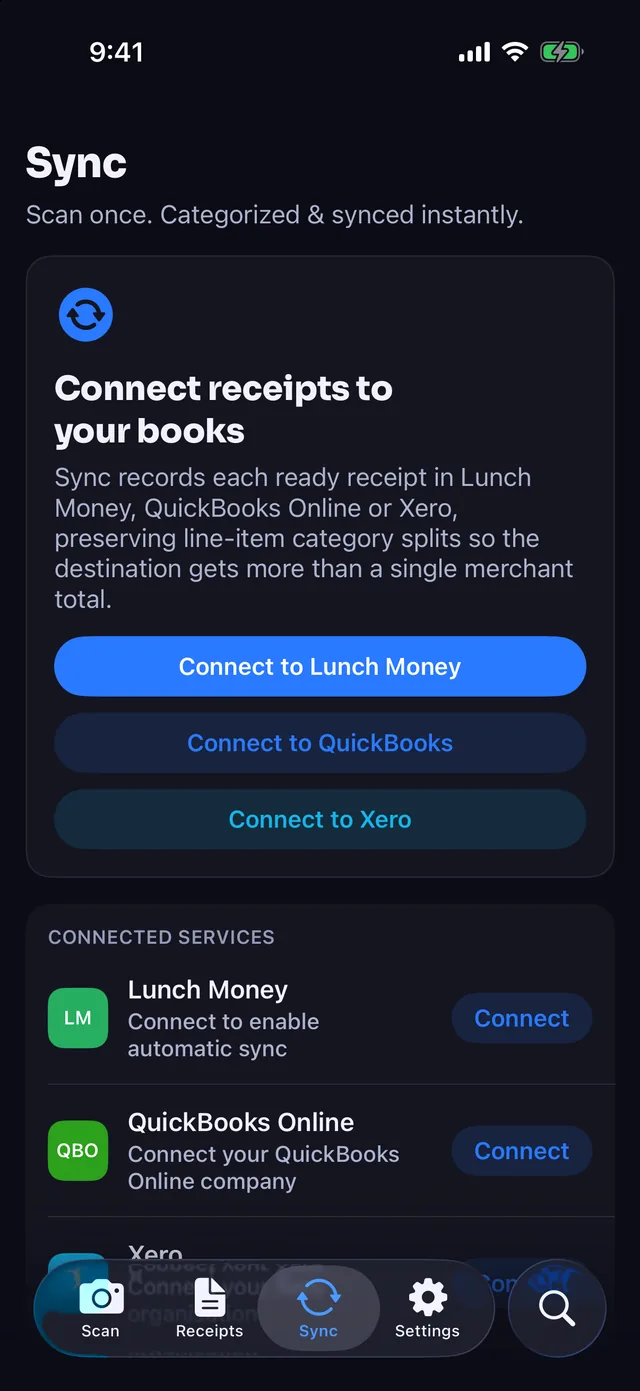
Add a receipt
Scan paper with the camera, import photos or PDFs, or forward email receipts.
Review the itemized categories
Check the itemized categories and how they map onto your Lunch Money budget.
Sync to Lunch Money
The app matches the existing bank or card transaction, splits it by category with item notes, and attaches the receipt.
Lunch Money sync by plan
| Free | Plus | Pro | |
|---|---|---|---|
| Price | $0 | $4/month or $30/year | $8/month or $60/year |
| Receipts a month | 30 | 100 | 300 |
| Lunch Money sync | No: No | Yes: Yes | Yes: Yes |
| Free trial | Free plan | None | Yes: 7 days on annual |
Lunch Money questions
Which receipt scanner works with Lunch Money?
Receipt Rabbit is an iPhone receipt scanner for iOS 18 and later that connects directly to Lunch Money using your API access token. It categorizes every line item, matches your existing transaction, splits it by category, and attaches the receipt.
How do I split a Lunch Money transaction by receipt line items?
Scan a paper receipt, import a photo or PDF, or forward an email receipt into Receipt Rabbit. The app categorizes every line item, finds the matching charge in Lunch Money by amount, date, and payee, and splits it by category with item notes.
Does it attach receipts to Lunch Money transactions?
Yes. When Receipt Rabbit syncs a matched receipt, it attaches the receipt photo or PDF directly to the transaction in Lunch Money.
Does it use my own Lunch Money categories?
Yes. Receipt Rabbit categorizes every line item across 42 categories in 11 groups and maps them onto your own Lunch Money categories. Confident matches apply automatically, you set the rest, and you can change any mapping later in Settings.
What happens if no Lunch Money transaction matches my receipt?
Receipt Rabbit never creates a Lunch Money transaction on its own. If a receipt has no match, such as a cash purchase, you can choose to add it to Lunch Money. If several charges could match, a "Pick a Match" screen lists them and you tap the right one.
Is Lunch Money sync free?
No. Free ($0) includes 30 receipts a month without Lunch Money sync. Lunch Money sync comes with Plus ($4/month or $30/year for 100 receipts a month, no free trial) and Pro ($8/month or $60/year for 300 receipts a month, 7-day free trial on annual).
Spot an error on this page? Email [email protected] and we will correct it.
Download Receipt Rabbit for iPhone (iOS 18 and later) to scan receipts and split Lunch Money transactions by category.
By Pine River Labs · Updated
Lunch Money is a trademark of its owner. Receipt Rabbit is not affiliated with Lunch Money.